


The Small Business Owner's Guide to Ditching the Timesheet Headache

Let's be honest. "Time is money" is one of those phrases that gets thrown around so often it barely registers anymore. But if you've ever spent a Friday afternoon trying to decode someone's handwritten timesheet — or worse, just trusting that everyone's hours are roughly right — you know the pain behind that cliché is very real.
This isn't about becoming some kind of corporate overlord. It's about giving yourself one less thing to lose sleep over. A proper employee clock in system doesn't micromanage your team; it just quietly handles the stuff that's been quietly driving you mad.

Here's how modern solutions, like those from Computime UK, are making life genuinely easier for small and growing businesses.
Why "Close Enough" Isn't Actually Close Enough
When your team is small, informal tracking feels fine. You know everyone, you trust everyone, and chasing it all down manually feels like the "human" thing to do.
But as you grow, that same informality becomes a slow leak in your budget. Honest mistakes creep in. Timesheets get rounded. And occasionally — let's not pretend this never happens — someone logs hours they didn't quite work.
A good clock in system closes that gap between your front door and your payroll software. It's not about suspicion; it's about having clean, verified data so every paycheck is backed by real hours.
1. Hardware That Actually Fits How You Work
Forget the chunky, ink-stained punch machines of the past. Today's options are genuinely slick:
Biometric (Face & Fingerprint): Options like the Eface 10 or Bioface use facial recognition — touchless, hygienic, and impossible to game. No one's clocking in for a mate who's still in the car park.
RFID & Swipe Cards: If your team already wears ID badges, this is the path of least resistance. Fast, familiar, and frictionless.
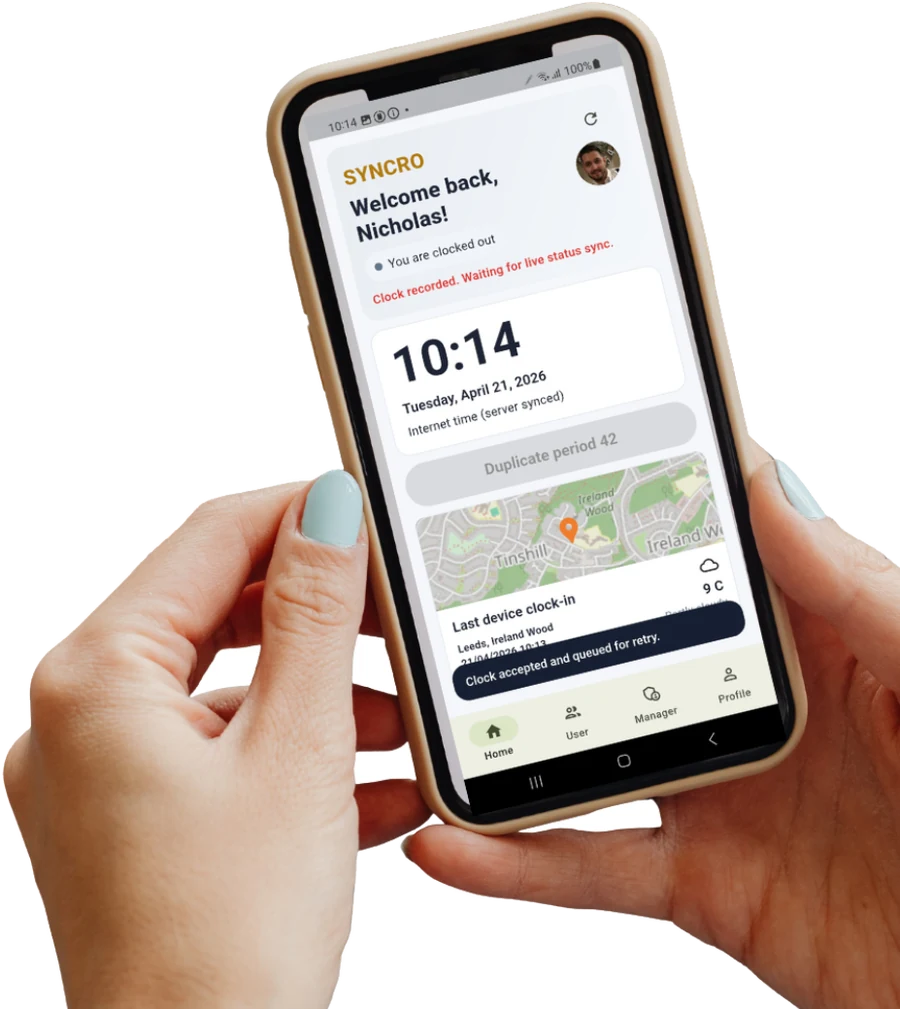
Mobile App Clocking: For remote workers or people out on the road, a mobile app with GPS verification means they can log hours accurately from wherever they actually are — no guesswork needed.
2. The End of Payroll Friday Dread
If "Payroll Friday" makes your eye twitch, you're not alone. Manual data entry is where errors are born — overpayments that sting the business, underpayments that sting your staff, and a general fog of uncertainty that nobody enjoys.
Modern time and attendance software plugs directly into tools like Sage, Pegasus, and QuickBooks. You export the data, the software does the maths, and what used to chew up hours of your afternoon now takes a few clicks. That's not a small thing.
3. Knowing What's Happening Right Now
A live dashboard isn't just a nice-to-have — it changes how you run your day.
Safety: If the fire alarm goes off, can you instantly account for everyone in the building? A clocking in machine gives you that roll call in seconds, not frantic minutes.
Budget control: You can spot overtime building up before it becomes a problem, and adjust staffing accordingly.
Customer confidence: When a client calls asking if their technician has arrived on-site, you can actually tell them — instead of guessing.
4. Fair for Everyone (Yes, Including the Early Birds)
Here's something a bit unexpected: most employees prefer a proper system. Manual tracking tends to reward the vocal and overlook the quietly reliable — the person who's always five minutes early, always stays a little late, and never makes a fuss.

A digital record captures all of it. Every early start, every extra half-hour. No favourites, no ambiguity, no awkward conversations about whether someone's hours "seem right." Just transparent, consistent data that treats everyone the same.
5. GDPR Compliance Without the Headache
In the UK, handling biometric data comes with real legal responsibilities — and rightly so. The good news is that reputable systems are built with GDPR compliance from the ground up. Biometric data is encrypted and stored securely, so you get the benefits of high-tech verification without putting your team's privacy (or your legal standing) at risk.
How to Choose What's Right for You
Before you commit to anything, ask yourself three questions:
What's your environment? A warehouse needs something rugged — look at IP65-rated hardware like the Speedface V3L. A quiet office might suit a sleek facial recognition terminal better.
Will it grow with you? You're not just buying for your team today; you're buying for the team you'll have in a couple of years.
Does it connect to your existing tools? If it doesn't talk to your payroll or HR software, you're just creating a new silo of data to manage manually.
Getting a proper employee clock in system isn't about going corporate. It's about removing a source of stress that never had to be there in the first place — and freeing yourself up to focus on actually running your business.


Comments