


Time and Attendance Software: Why Paper Timesheets Are Costing You More Than You Think

Picture the Monday-morning scene in plenty of UK workplaces. Someone is hunched over a stack of paper timesheets, squinting at handwriting, trying to work out whether that’s a 7 or a 1. A spreadsheet is open on one screen and the payroll system on the other. Hours get copied from one to the other, and somewhere in the middle, a mistake sneaks in.

Nobody planned for payroll to work this way. It just grew like that, and it has never been fixed. That’s where time and attendance software comes in.
So, what is it actually?
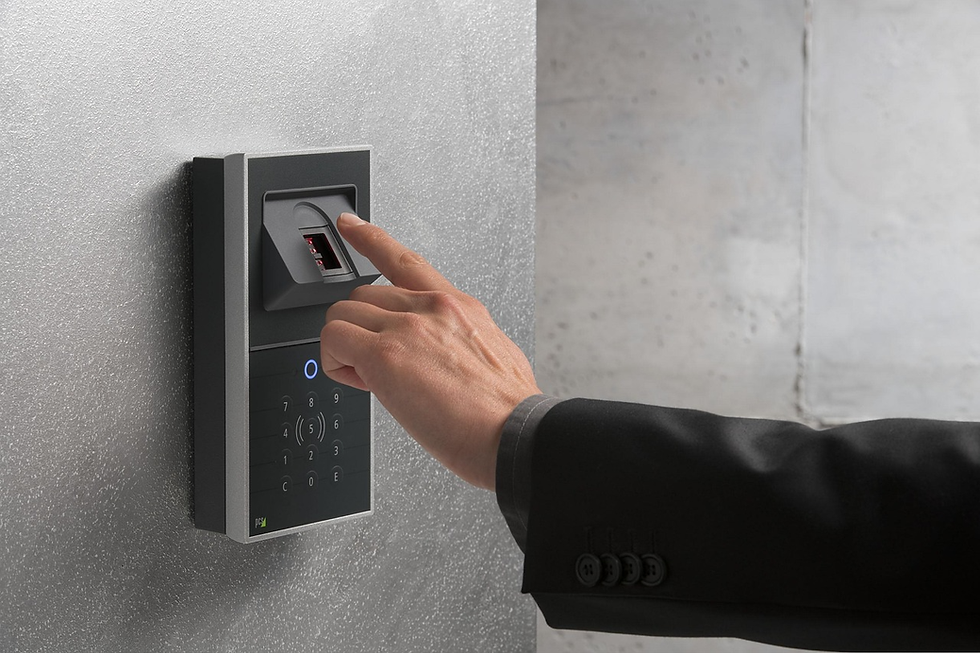
It’s a digital way of recording when your people start work, finish, and take breaks. Staff clock in with a fingerprint, a face scan, a card or fob, a mobile app, or a browser on their computer. Those clockings flow into software that builds the timesheets itself, flags lateness and absence, and produces hours that are ready for payroll.
No clipboards, no chasing people for signatures, and no “I’m sure I was in at nine.”
The hidden cost of doing it manually
Manual tracking feels free because there’s no invoice for it, but the cost is real. It just hides in places you don’t look.
Payroll mistakes. Hours get read off a sheet, typed into a spreadsheet, then typed again into payroll. Every step is another chance for an error, and every correction eats somebody’s afternoon. Industry research suggests around a quarter of UK employees have received an incorrect payslip at some point.
Buddy punching. A colleague clocks in for a mate who’s running late. It’s usually harmless in intent, but one often-quoted study puts the cost at roughly 2.2% of gross payroll.
Absence you can’t see. Sickness costs UK employers dearly. Government figures put the average loss at around £120 in profit per sick day. If you can’t spot patterns early, you can’t act on them.
Wasted time. Surveys of payroll teams talk about hours every week lost to manual processes and disconnected systems. That’s time your team could spend on actual work.
What good software does differently
The best systems remove the copying altogether. Hours are captured at the moment someone clocks in, a manager approves them once, and the approved hours export in the same format every pay period. That can go straight into Sage, Pegasus or QuickBooks without anyone retyping a thing.
A few features make a real difference day to day:
Live visibility. You can see who’s on site, who’s late, and who’s off at any moment. It’s handy on a busy shop floor, and it’s invaluable if you run multiple sites.
Exception-based approvals. Instead of checking every timesheet, managers only look at the handful that need attention, like missed clockings or unusual hours.
Employee self-service. Staff book holidays, check their balances and view their own timesheets without emailing HR. It sounds minor until you count how many of those questions your HR team answers each week.
Fire roll call. Because the system already knows who’s in the building, it can account for everyone during a drill or a real evacuation. That’s peace of mind you can’t get from a paper sign-in sheet.
Job costing. Log hours against specific jobs or projects and you can see what work really cost to deliver, rather than guessing afterwards.
Reports that earn their keep. Bradford Factor absence scoring, lateness trends, overtime as it accrues, and man-hour analysis by team or site. The recording is the easy bit; what you learn from the data is the real value.
It’s not just for big companies
A common assumption is that this is enterprise stuff. It isn’t. Systems like Computime’s are used by everyone from a team of a few people up to businesses with 5,000 employees across many sites. Construction crews, factory floors, care homes, schools, shops, restaurants, and hybrid office teams all use it.
Pricing is usually per employee, so a small business pays a small amount. Computime’s Syncro Connect, for example, starts at £2 per employee per month (£3 if you add the GPS mobile app). That means a 50-person company pays about £100 a month, with no setup fees and no long-term contract.
“But what about biometrics and GDPR?”
Fair question, and worth taking seriously. Biometric data counts as special category data under UK GDPR, so you can’t just switch it on and hope for the best. You’ll need a lawful basis, a data protection impact assessment, and normally a non-biometric alternative for anyone who objects.
Reputable systems store a mathematical template rather than an actual image of a fingerprint, which helps. Choose a supplier that’s open about where data lives (ideally UK-hosted) and who can access it. And build leaver steps into your process, because removing someone from the database and clearing their template from the terminal are two separate jobs.
Hardware matters too
Many software vendors stop at the software and leave you to find terminals elsewhere. That works until something breaks and each supplier points at the other. Choosing a provider that supplies both, as Computime does from its Leeds base, means one phone call when you need help.

You can also mix and match. Facial recognition on the factory door, card readers in the office, and the mobile app for drivers can all feed the same system. If there’s no signal on site, the app stores clockings and syncs them when the connection returns, so nothing gets lost.
Getting started isn’t the headache you’d expect
Most people expect a long, painful rollout. In practice, a good supplier builds your database (staff records, shift patterns, pay rules) for you, and your clocking terminal arrives pre-configured. You plug it in, your staff enrol, and you’re usually up and running within days.
Before committing, try before you buy. A free trial lets you poke around the software, and a demo is even better if your shift rules are complicated, because you can see the system handle your situation rather than a generic example.
The bottom line
Time and attendance software won’t make payroll exciting, but it makes it quiet, and quiet is exactly what you want. Fewer errors, fewer awkward conversations about disputed hours, clearer records for audits, and a team that spends its time on real work instead of deciphering handwriting.
If your Monday mornings still involve paper timesheets and a bit of guesswork, it might be time to let software do the heavy lifting.


Comments